
App Breakdown #82 · grug
The UI design of grug, the hand-drawn Apple Design Award winner
grug shares one small caveman wisdom a day. José breaks it down because it looks like nothing else on the App Store, and finds an app that feels drawn by hand.
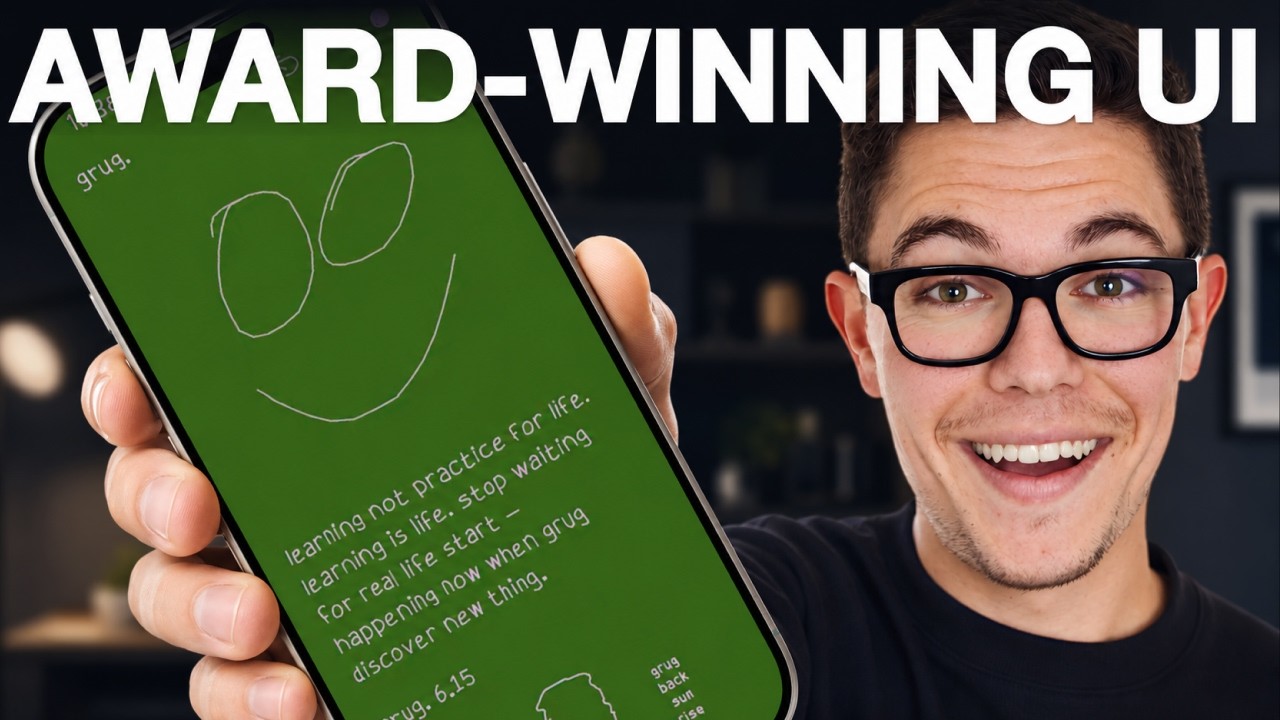
José opens the episode on grug, the 2026 Apple Design Award winner and one of the most unique UIs he’s seen in a while 0:00.
“From the App Store page alone, you can see that Grug does not look like your average app on the App Store.” José, 0:24
“And it looking so distinct is exactly why I want to break it down today.” José, 0:31
Every line drawn
From the first screen there are haptics on every word that comes up, and the button is a line being drawn 0:38. Then the words themselves:
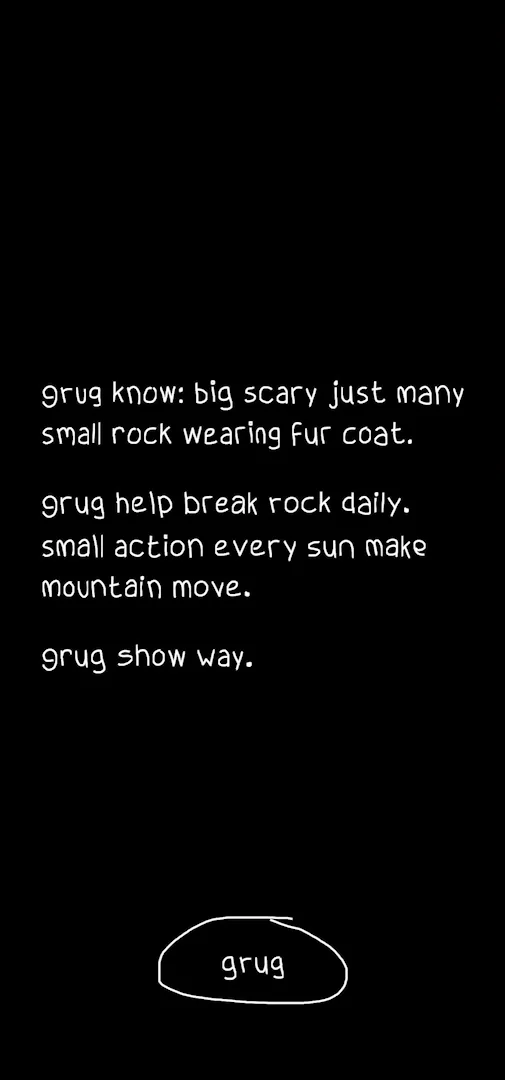
“Okay, so the style of speaking is gonna be very much like cavemen” José, 0:56
The next screen draws itself too:
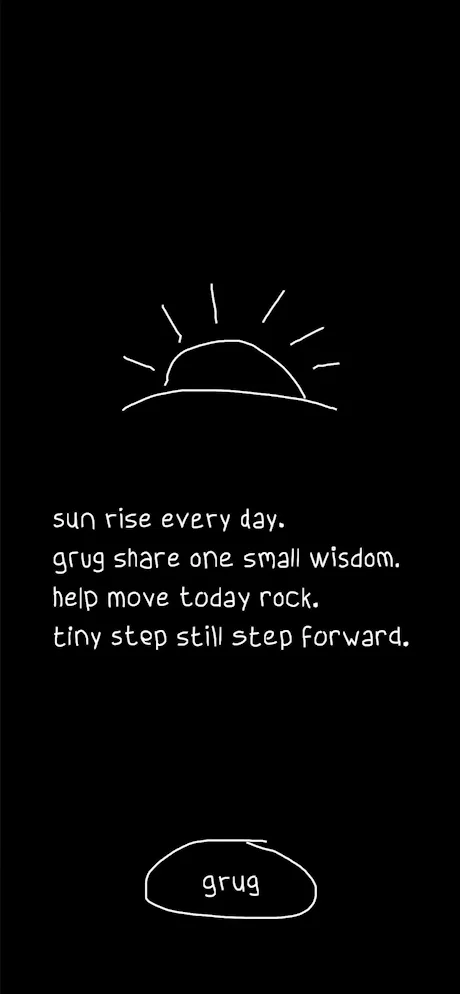
“Notice how every line is actually drawn and not just appears on the screen or fades in” José, 1:11
“So this very much feels like a handmade hand-drawn app and not like a digital thing, which is very cool” José, 1:17
Notifications, once you know it’s daily
Having said it shares one small wisdom a day, grug asks for notifications:
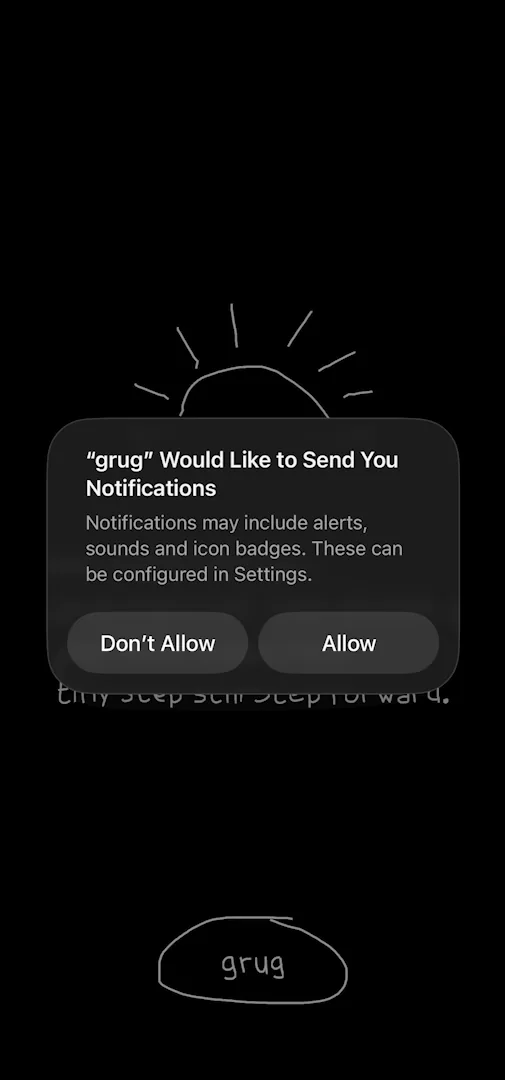
“And now asking for notifications after telling me that this is a daily thing” José, 1:34
José allows them: a very simple prompt, and one that works 1:38. He doesn’t really appreciate how much text there is in general, but it appears in the same hand-drawn way, and the animation makes it feel a bit lighter 1:42.
A status bar of its own
On Home, the first thing he notices is at the very top:
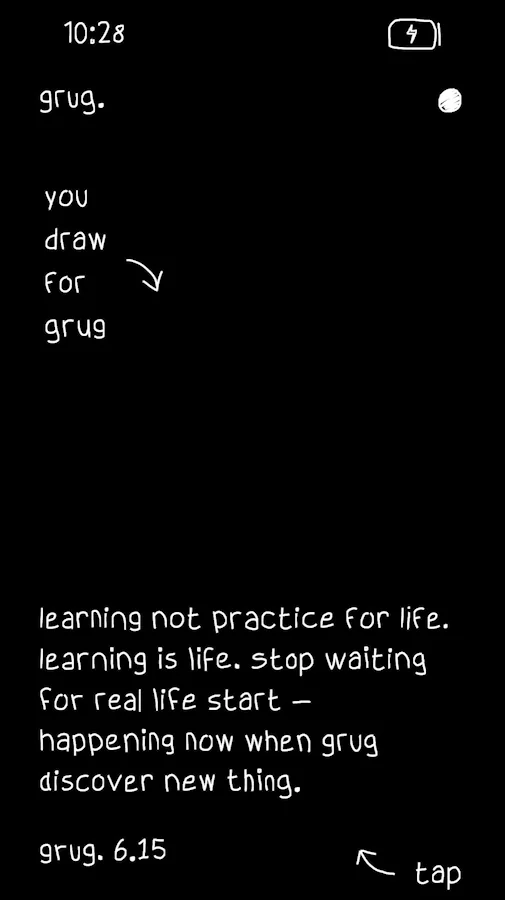
“They actually removed the iOS status bar up top and hand-drawn their own version which is genius.” José, 1:59
Later he catches the clock turning from 10:29 to 10:30, and replays it 3:41. The new time is written in like everything else, with haptics:
“There are haptics every time that something is written on the phone” José, 3:49
“So that’s just a very very nice touch” José, 3:52
You draw for grug
The empty black area is where you draw 2:20. He can undo and redo 2:45, and those icons draw themselves as well:
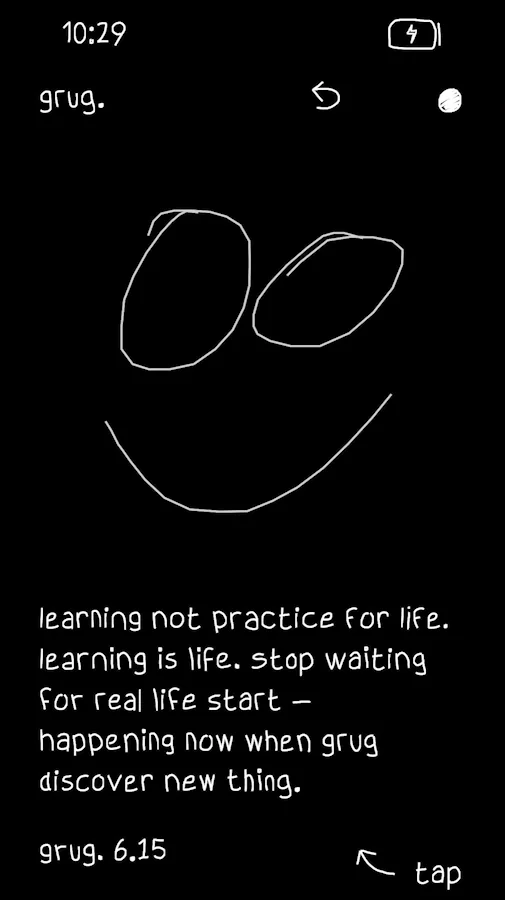
“Notice how the icons appear hand-drawn every time I love that” José, 2:49
Wisdom like scripture
Tapping the wisdom opens a lot more of it, on a page that scrolls 3:03:
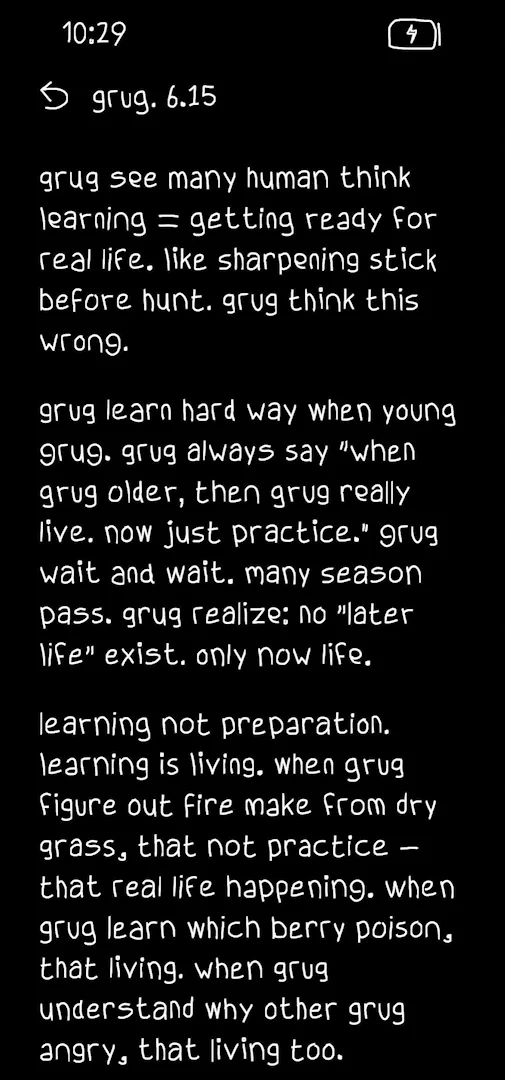
“And it’s almost pretending that it’s from the Bible.” José, 3:12
Each one is numbered like a verse, grug 6.15. He isn’t sure where the wisdom comes from, or whether they wrote it themselves 3:19.
A share button drawn a new way
Sharing just opens the standard share sheet, nothing too special 4:16, so there are really only two things to do on this page: draw and share 4:22. And as he moves between days, the share button changes:
“I like how every time I switch day the outline around the share button changes” José, 4:40
They have a bunch of versions of it, which he really likes:
“It just keeps the app fresh if you’re coming every day and makes you not know what to expect.” José
Silly, and true to itself
A little later he stops to say what he loves about it:
“What I love about this app is just how silly and distinct it is” José
“It’s just a little app that is extremely joyful, does not try to pretend it is something that it isn’t, and does what it says.” José, 6:19
“Like, quirky software is the best of its kind.” José, 6:33
Colours worth exploring
Tapping the header explains the day’s grug. The dot on the right opens a sort of settings screen, which names the company, Ocho, and promotes one of its other apps, a game. He loves that. At its top right are light and dark modes, and colours:
“I think this app is like a must-have for designers just in terms of color exploration.” José, 7:35
“The different tones that they’ve chosen are just so nice.” José
One reminds him of the Brat song. The last option lets you pick any colour:
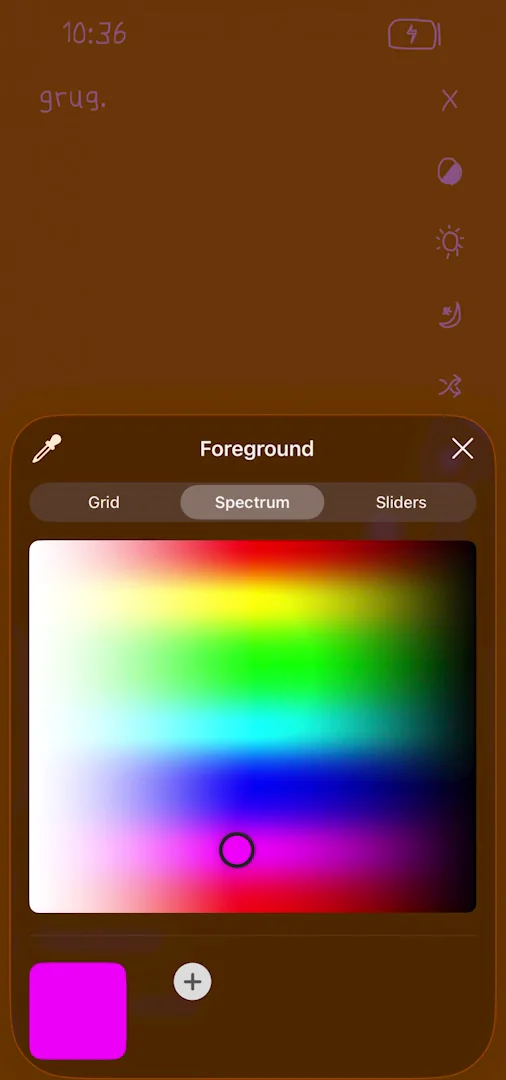
“Oh it seems like I can choose any color.” José
You can set both the accent colour and the background:
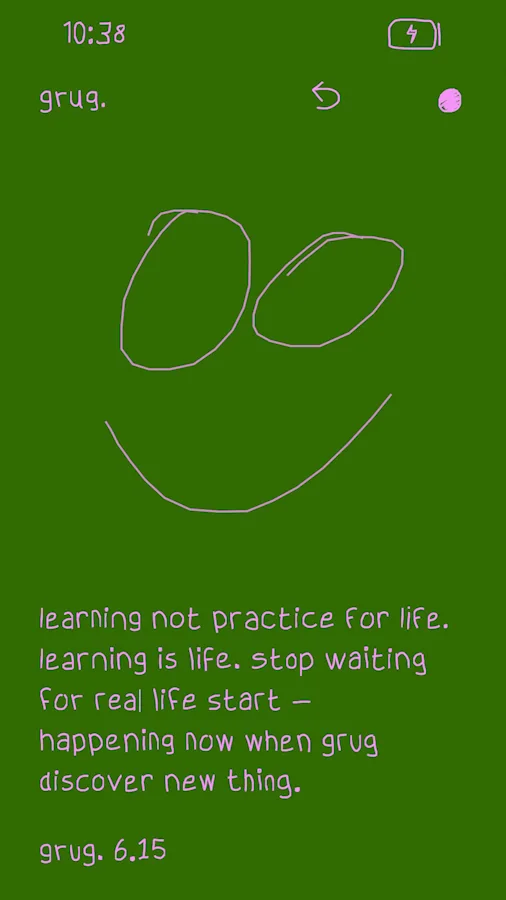
“So you can personalize your app fully.” José
No paywall
“So far at least and I think I’ve explored the entire app there has been no paywall no promotion no ads” José
He guesses they just don’t monetise it at all, and says he probably would. There doesn’t seem to be a way to donate, either:
“This is the kind of project that as a designer I’d love to support with like a little donation” José
The verdict
He ends with a reflection on quirky software. If you have an idea, he says, even as a designer who can’t code, AI has made getting something like grug on the App Store much simpler than it was six months ago 9:06. That doesn’t make it easy:
“It seems very simple, but doing something simple and beautiful is complicated. So props to the team here.” José, 9:18
“Software like Grug is extremely cool. It makes people smile. It’s good that it exists.” José, 9:35
One design challenge from this episode
Learn design from the apps you love
Practice UI design every day with 300+ briefs from apps like grug. Finish one and its card is yours.


