
App Breakdown #50 · MIST
The UI design of MIST, a little toy with soul
For episode 50, José skipped the big productivity apps and picked something that is just fun: a little speech toy where every pixel feels thought out.

MIST is an app that is just a little toy 0:00. Back when José was on a design team, a colleague found it, the team posted it on Twitter, and it got pretty big. For episode 50 he thought about doing Notion, Craft or Raycast, more complete apps:
“But then I was like, no, let's do something that is just fun in pure UI goodness.” José
It opens with a little sound, so there’s sound design and haptics too. And what you see first is essentially the whole app 0:51: a little robot with a face and a control panel. It’s a very cool app for seeing how novel interfaces are done, things that feel good even when they aren’t particularly useful:
“They can just be joyful.” José
The control panel has a joystick, a clock he can barely see, a night mode and a plus.
A joystick of magic sparkles
The joystick comes first 1:48:
“This is just so cool. It makes me smile so much” José, 1:49
It controls magic sparkles on the screen:
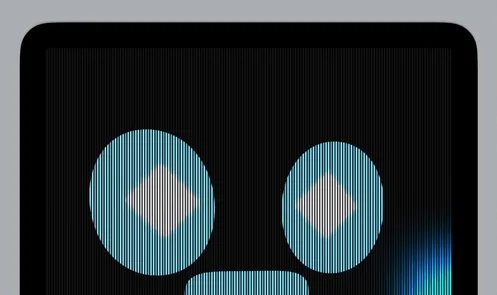
“So the joystick controls the magic sparkles you can hear them on the screen and it's just an insanely cool interaction” José, 1:52
It also changes the wave at the bottom of the panel 2:01, and there are haptics every time you hit one of the corners 2:04:
“this is the kind of thing you put on a pedestal” José
Near the end, it’s still the star of the show for him. He’d love to watch a tutorial on how the effect was made, if there is one, and he shouts out its maker, Nao Enomoto.
A blind to peek through
The night mode button closes a blind over the screen 3:41, as he was expecting:
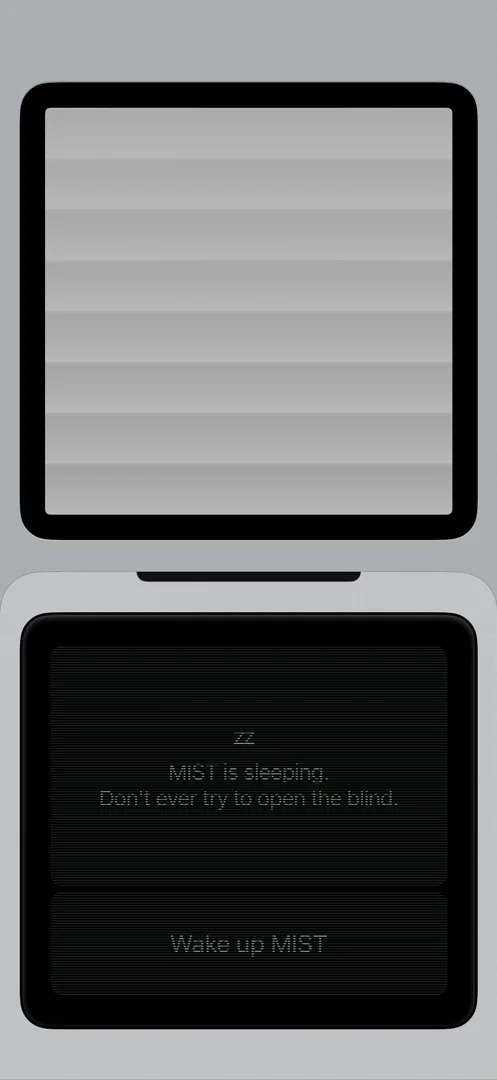
“so cool. And we can peek through the blind” José, 3:45
“This is pure joy.” José, 3:50
You can hear the blind too 3:52, and MIST peeks back through it 3:58:
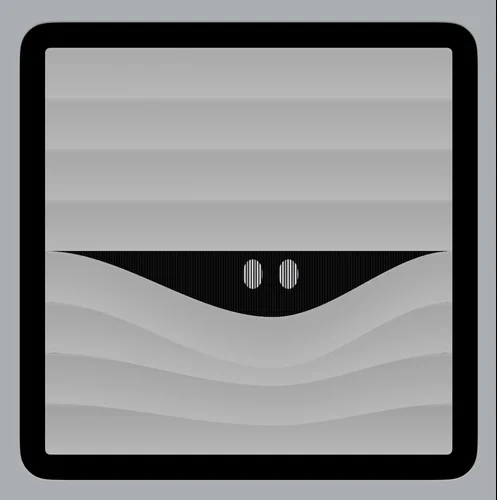
“And he peeks through there.” José, 3:58
Sometimes he peeks, sometimes he doesn’t 4:01.
The panel says “MIST is sleeping. Don’t ever try to open the blind.”
“it's basically to trick you into discovering this animation and he follows your finger around wherever you go” José, 4:07
Then you wake him up, and he yawns 4:14:
“I feel like this is going to be the episode where I smile the most out of all 50 because all of these things are just about making you smile” José, 4:19
He doesn’t always yawn, though. The yawn reminds him of Snorlax, the Pokémon with the big mouth.
A clock for your desk
The clock is standby mode, which needs MIST Plus. He guesses it means rotating the phone, but nothing happens 3:25, and maybe even the preview needs Plus:
“a boy's gotta monetize” José, 3:34
Later he decides MIST is cool enough to pay for, and with Plus, the clock works. Tap it and the phone turns landscape, for when your phone sits on a MagSafe stand:
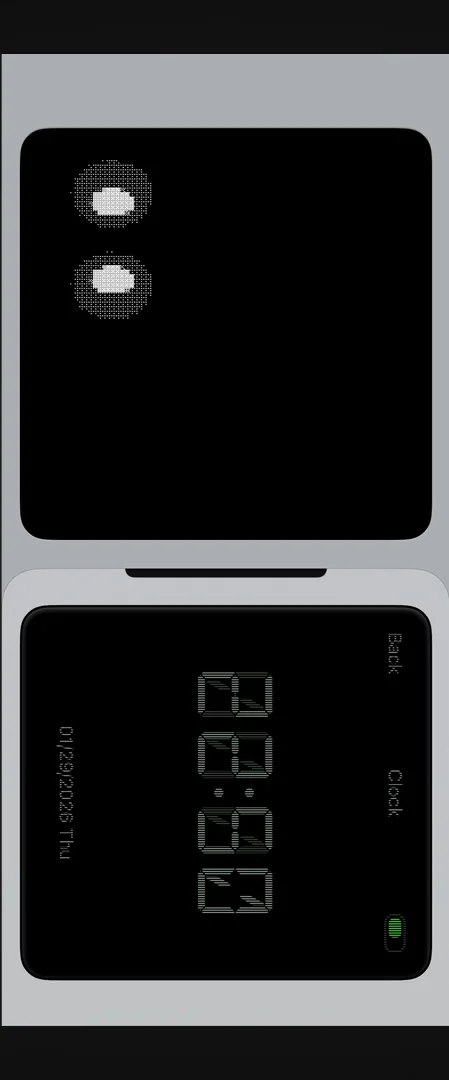
“just put your phone there and it acts as a little clock for you so it's just like clock and little pet for you to have on the desk” José, 7:30
It also shows your battery and the time 7:42, you can set a timer 7:48, and you can add your music to see MIST while you listen 7:51.
“If you integrate like Claude Code into this thing and just make it your AI pet, that'd be extremely cool” José
The verdict
What is really cool about MIST is that there isn’t a lot to it. It’s extremely simple, just a toy:
“but every single pixel feels like it was thought out and it's from the same universe” José, 10:18
“when you open this app you're opening an entire universe an entire product that someone cared about end to end and it really shows” José, 10:25
It’s the kind of software he wishes we had more of on our machines and got to use every day:
“B2B SaaS does not have soul. This has soul.” José, 10:42
“I'll take this over something with more functionality, more features, more whatever, any day of the week.” José, 10:45
And if you know more apps like it, he’d like you to send them his way: he wants to download them, use them and pay for them 10:52.
 1 of 6
Six design challenges from this episode
Learn design from the apps you love
Practice UI design every day with 300+ briefs from apps like MIST. Finish one and its card is yours.


